Use Cases
Does Starlink Mini Actually Work While Driving?
Starlink Mini is not just a smaller Starlink dish. It is the version people reach for when they want internet in cars, trucks, vans, RVs, job sites, campsites, and places where cell service gets unreliable. So the real question is simple: can Starlink Mini stay connected while the vehicle is moving?
| Mounting method | When it makes sense | Main risk |
|---|---|---|
| Rubber-coated magnets | Fast exterior mounting on steel roofs or VHB mounting discs | Needs the right surface and enough holding power |
| Industrial suction cups | Temporary glass or smooth-surface mounting inside or outside the vehicle | Must be clean, pumped tight, and checked before driving |
| Dash or loose sunroof wedge | Only a quick test when nothing else is available | Can slide, block visibility, fall, or damage the dish |
What we tested
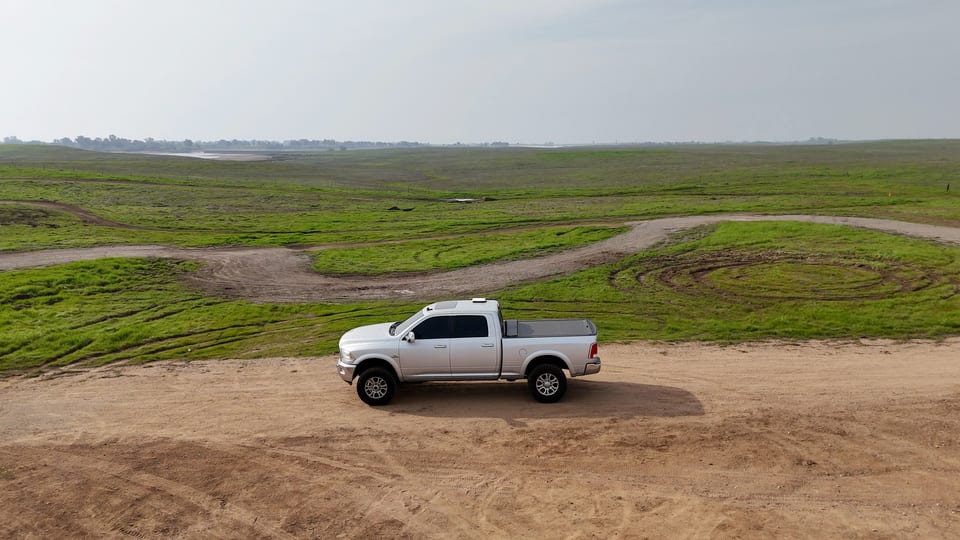
We mounted Starlink Mini on the outside of a vehicle and drove through rural farmland and remote roads where cellular service is not always dependable. The goal was not to prove Starlink works while parked. The goal was to see whether it could stay online while the vehicle was moving at real road speeds.
The results
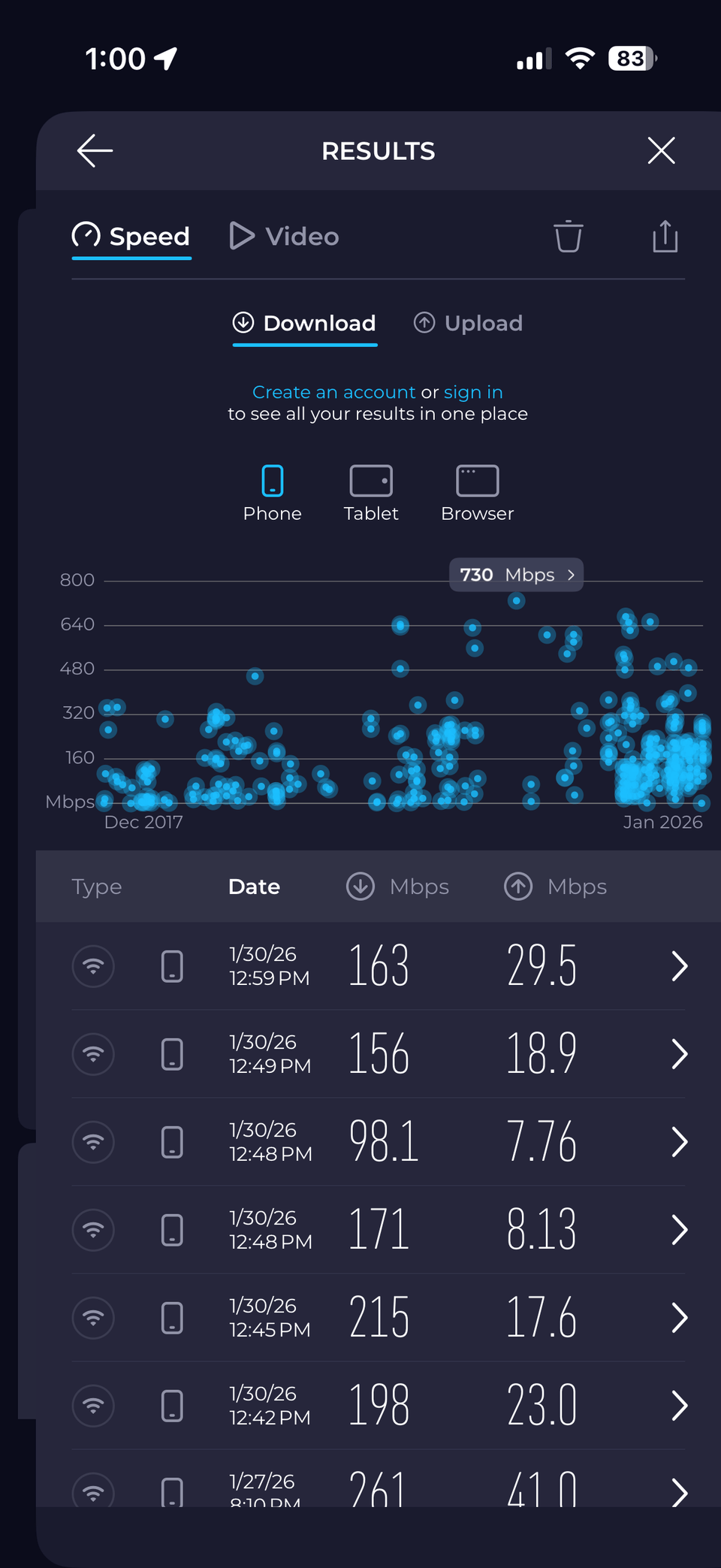
At roughly 65 to 70 mph, the Starlink Mini stayed connected and the mount did not move. The best recorded speed test was 215 Mbps download and 17 Mbps upload. After several tests in motion, speeds stayed well above what most people need for video calls, streaming, file downloads, messaging, and normal laptop work.
The dish is not usually the problem
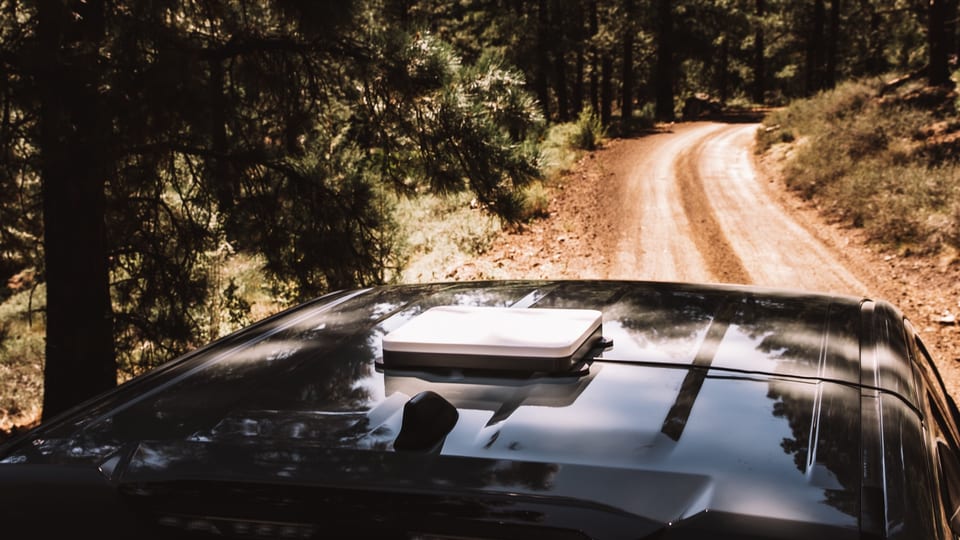
Most failures happen because the dish is not secured well. A loose Starlink Mini on the dash can slide around, block your view, or fall. A dish wedged near a sunroof can work for a quick test, but if it drops, it can hit someone or crack the dish. Starlink Mini is portable, but it still needs to be protected.
A moving setup needs protection
The Veritas Starlink Mini Mount works like a protective shell around the dish. It is CNC-cut from HDPE, keeps the face protected, and gives you mounting points for handles, magnets, suction cups, rack adapters, and power accessories. The white hardtop helps reflect heat, which matters because Starlink can throttle when it gets too hot.
Magnets make exterior mounting fast
For steel surfaces, rubber-coated magnets are the cleanest exterior setup. The four magnets we used have 150 pounds of combined holding power, and they held steady during the highway test. For aluminum, fiberglass, plastic, or rubber roofs, VHB metal discs create a surface the magnets can attach to.
Suction cups work for glass
If you want Starlink Mini inside the vehicle, suction cups can mount it to a sunroof or another smooth surface. Pump each suction cup until the white indicator line disappears, then give them a quick check before you drive.
Power changes the whole experience
The PeakDo 99Wh battery turns Starlink Mini into a wireless rapid-deployment setup. It can provide about 4 to 5 hours of power, supports pass-through charging, and can accept solar input. If you want constant power from the vehicle instead, use a durable cable setup built for the run length and environment.

Clear sky still matters
Starlink Mini can work in motion, but it still needs satellite visibility. Trees, mountains, tunnels, buildings, and heavy cover can interrupt performance. That is why a removable setup often beats a permanent one. When you stop, you can move the dish to a better view of the sky instead of being stuck with one roof position.
The bottom line
Starlink Mini worked in motion during our test. It delivered real highway-speed internet, and the right mount kept the dish stable. If you want the best result, do not treat the dish like a loose gadget. Treat it like the internet source for your vehicle, camp, job site, or team, and build the mounting, power, and protection around that.
Questions We Get A Lot
Yes. Starlink Mini can work while driving when it has a clear sky view, stable power, and a secure mount. In our test, it stayed connected around 65 to 70 mph.
In our test, one run reached 215 Mbps download and 17 Mbps upload. Multiple moving tests averaged well over 100 Mbps, which is enough for most calls, streaming, file downloads, and work tasks.
You can for a quick test, but it is not a good regular driving setup. The dish can slide, block visibility, fall, or get damaged.
For steel surfaces, rubber-coated magnets are the fastest exterior option. For aluminum, fiberglass, plastic, or rubber roofs, use VHB metal discs with the magnets. For glass or smooth temporary surfaces, use suction cups.
Yes. Starlink Mini still needs satellite visibility. Trees, buildings, tunnels, mountains, and heavy cover can reduce performance or cause dropouts.
Starlink Mini can support up to 128 connected devices, but real-world performance depends on signal, power, network load, and what everyone is doing online.
Yes. Veritas sells Starlink Mini mounts, magnets, suction cups, VHB discs, power options, travel cases, and accessories to equip your dish for internet anywhere.
Build the right setup with Veritas
Internet anywhere gets easier when the dish, mount, power, protection, and support all fit together. Veritas helps you choose the complete Starlink setup for how you travel, work, or stay connected.
Shop Starlink products or keep reading the guides below.
Related guides