Buying Guides
What people don't know about Starlink V5
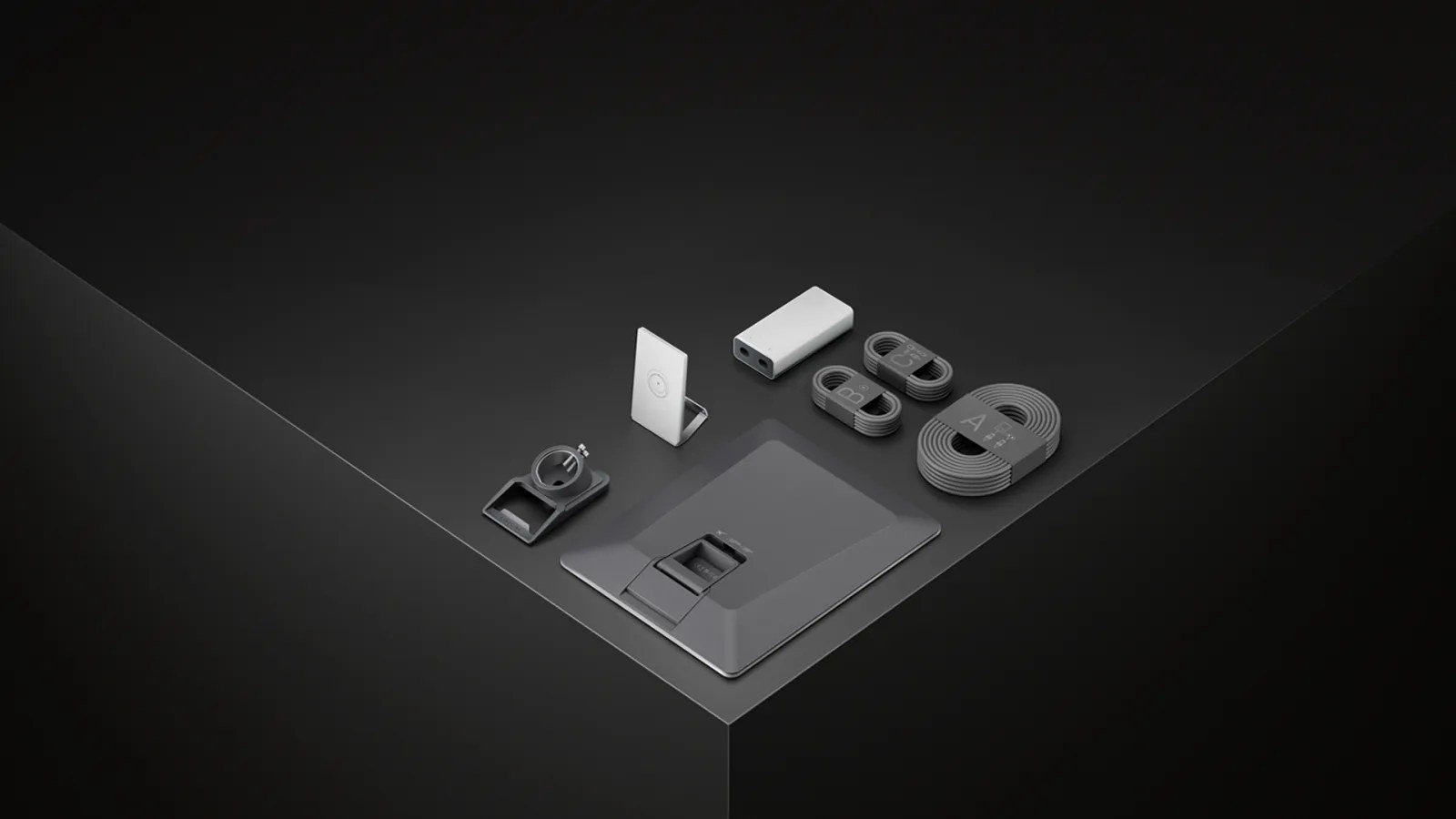
Image source: Starlink.
Starlink V5 is here. If the name makes you expect a faster dish, pause. That's not where the biggest changes are.
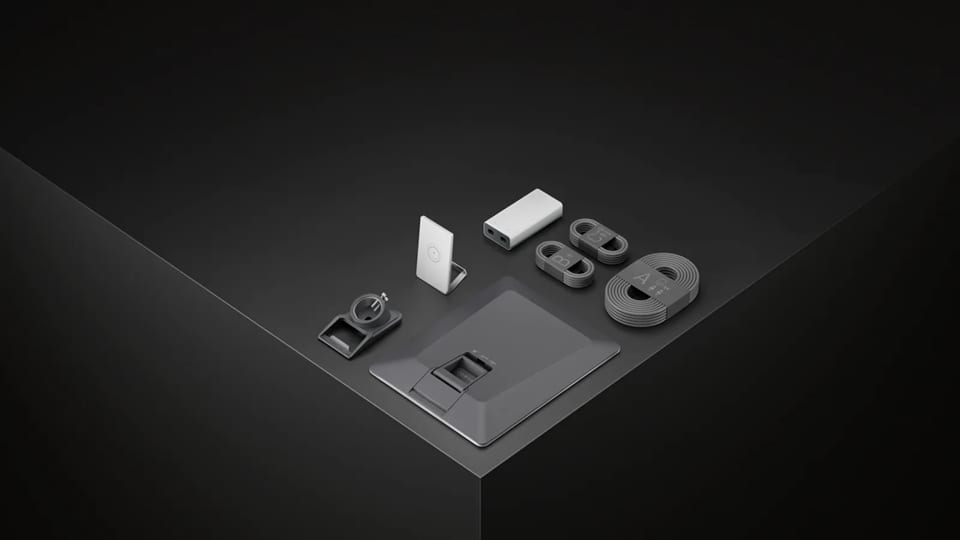
V5 is smaller, lighter, and rated to use less power than the outgoing Standard 4X. It also ships with Router Mini, a pipe adapter, and a separate power supply.
Those changes may matter more than a headline speed number. Here's what changed, what didn't, and what to consider before replacing a working dish.
| Specification | Starlink V5 | Standard 4X |
|---|---|---|
| Dish dimensions | 15.1 x 12 x 1.3 in. | 23.4 x 15.07 x 1.5 in. |
| Dish weight | 2.4 lb. | 6.4 lb. |
| Published average power | 35-50W | 75-100W |
| Field of view | 110 degrees | 110 degrees |
| Included router | Router Mini | Router 3 |
| Stated router coverage | Up to 2,200 sq. ft. | Up to 3,200 sq. ft. |
1. V5 is not a guaranteed speed upgrade
Starlink's U.S. residential page says V5 can deliver download speeds up to 375 Mbps. That number is a ceiling, not a promise that every V5 dish will reach it or beat V4.
Actual speed still depends on your service plan, location, network demand, sky view, weather, and Wi-Fi setup. The same residential page advertises speeds up to 400+ Mbps for Residential Max. The dish generation is only one part of the system.
In an early DISHYtech analysis, the creator described V5 as looking more like an efficiency and manufacturing revision than a raw performance leap. That's his interpretation, not an official Starlink claim, and he hadn't tested a V5 dish yet.
A good V4 connection isn't obsolete just because V5 exists.
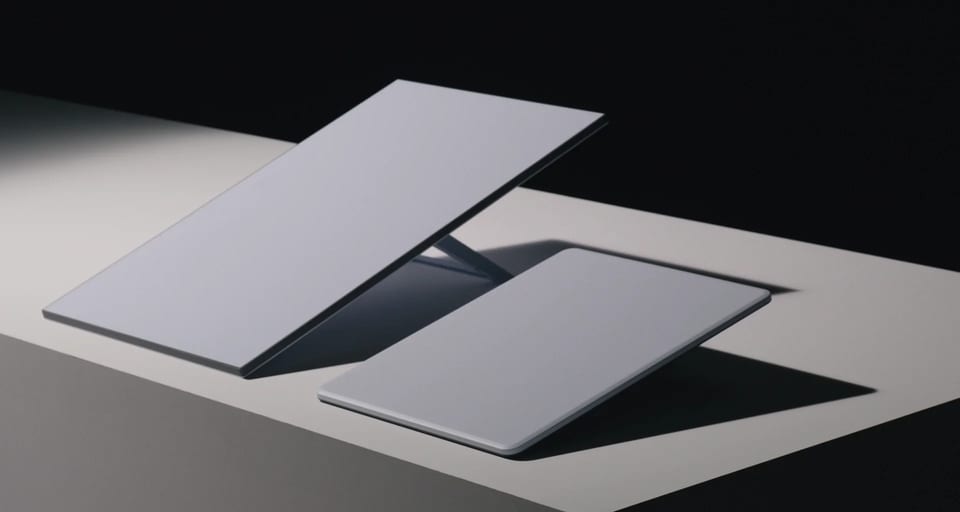
2. The dish is almost half the face area and 62% lighter
V5 measures 15.1 x 12 x 1.3 inches and weighs 2.4 pounds. The published Standard 4X dimensions are 23.4 x 15.07 x 1.5 inches with a dish weight of 6.4 pounds.
Using those width and height measurements, V5 has about 48% less face area. It is also about 62% lighter.
In real life, that means V5 should be easier to handle and store. It also puts less weight on a properly designed mount and may fit compact fixed installations where the Standard dish felt oversized.
3. Lower published power may be the most useful change
On paper, power may be the most useful V5 change. Starlink rates the new dish at 35-50 watts on average. The Standard 4X sheet lists 75-100 watts.
Spec sheets and real-world use don't always match. In the DISHYtech video, the creator says his V4 dish often uses roughly 35-40 watts, below Starlink's listed range. We need a direct V5 test before saying how much energy it saves in practice.
Even so, the lower rating gives you a better starting point for sizing backup batteries, solar, generators, RV electrical systems, and outage power.
4. V5 comes with Router Mini, not a new V5 router
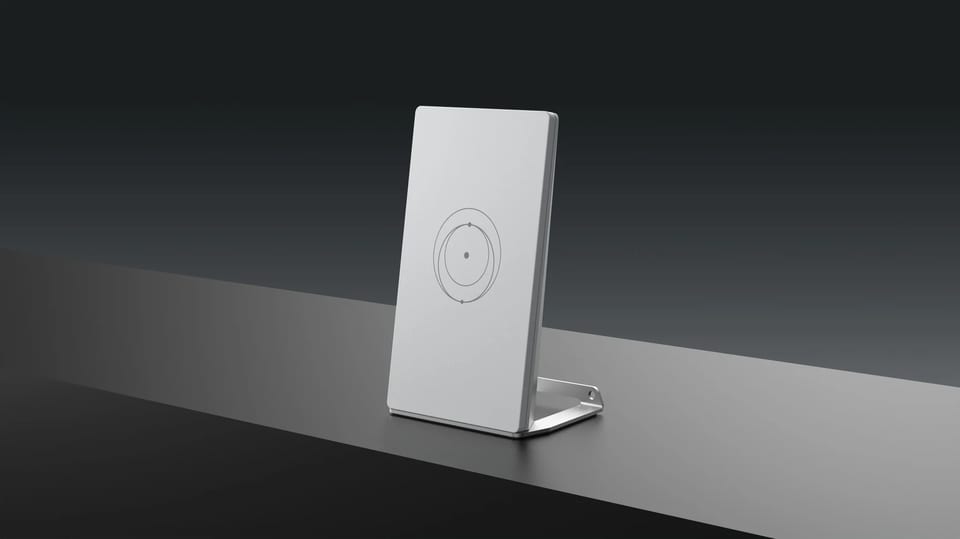
V5 doesn't get a new router. It ships with Starlink Router Mini, the existing indoor Wi-Fi 6 model.
Router Mini is dual-band with 2x2 MU-MIMO. It has two 1Gbps Ethernet ports. Starlink lists coverage up to 2,200 square feet and support for up to 235 connected devices.
It can mesh with a Gen 2 Router, Router 3, another Router Mini, or the Starlink Mini Kit. Starlink says it won't mesh with a Gen 1 Router or third-party mesh systems.
The outgoing Standard 4X kit uses Router 3, which has a larger stated coverage area of up to 3,200 square feet. In a large home, your indoor Wi-Fi layout may affect the experience as much as the dish outside.
5. One outdoor cable carries both power and data
V5 brings back a separate power supply. The kit also includes a 15-meter Starlink cable and a 2-meter Ethernet cable.
The 15-meter cable runs from the outdoor dish to the power supply and carries both power and data. The shorter Ethernet cable connects the power supply to Router Mini indoors. That keeps the Wi-Fi router inside while reducing the outdoor run to one cable.
It's easy to miss this layout in product photos, but it matters when you plan cable routing, wall penetrations, weather protection, and equipment placement.
Starlink's accessory guide lists its 15-meter replacement cable as compatible with V5, Standard 4, and Standard 4X. Don't assume that covers every older cable or third-party extension; match the exact part before you build around it.
6. A pipe adapter is included, but old mounts are not automatically compatible
V5 includes a pipe adapter in the box. Starlink says it fits metal pipe from 31 to 50 millimeters, or about 1.2 to 2 inches, in diameter. The guide specifically says not to use PVC or plastic pipe.
Two securing bolts are already installed in the adapter. That's a practical starting point for a pole-based setup.
Do not call an older Starlink mount compatible just because it held a previous rectangular dish. Fit, clamping, cable clearance, wind load, and the surface below the mount all need to be checked.
Starlink's V5 Home Mount can be installed on vertical, sloped, or flat surfaces and connects through the included pipe adapter. The mounting surface still needs to be structurally sound.
7. The 165 mph wind rating needs context
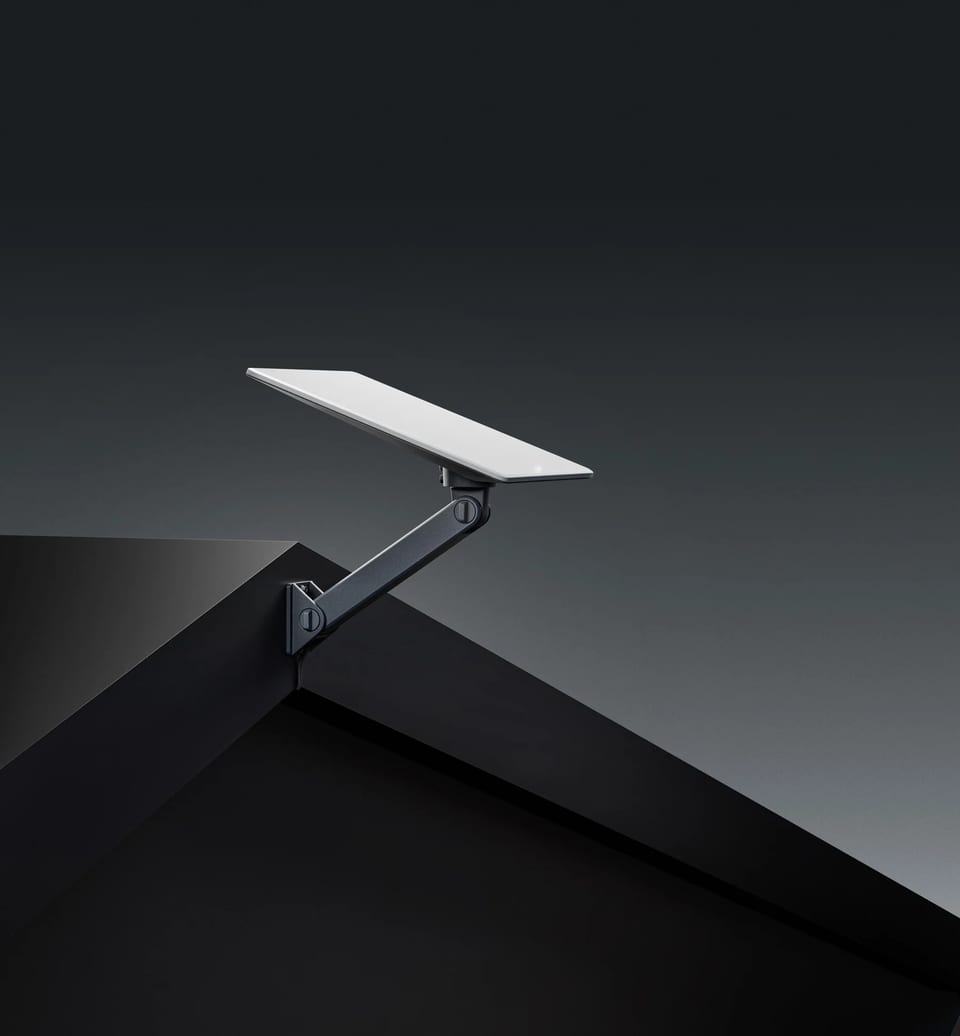
The V5 specification sheet lists IP67 Type 4 environmental protection, an operating range of -22 to 122 degrees Fahrenheit, snow melt up to 1.6 inches per hour, and an operational mounted wind rating of 165 mph.
The 165 mph number looks reassuring. Then you read the installation guide.
Starlink's installation guide separately says its mounts are not designed for hurricane or tornado wind loads. It tells installers to tether the hardware to help prevent a failure during an unexpected wind event. It also calls for a structurally sound mounting surface and recommends professional installation when needed.
A dish rating isn't a rating for your roof, pole, fasteners, sealant, or workmanship. The complete mounting system still has to match the structure and local conditions.
8. V5 may be the Roam sweet spot between Mini and Standard 4X
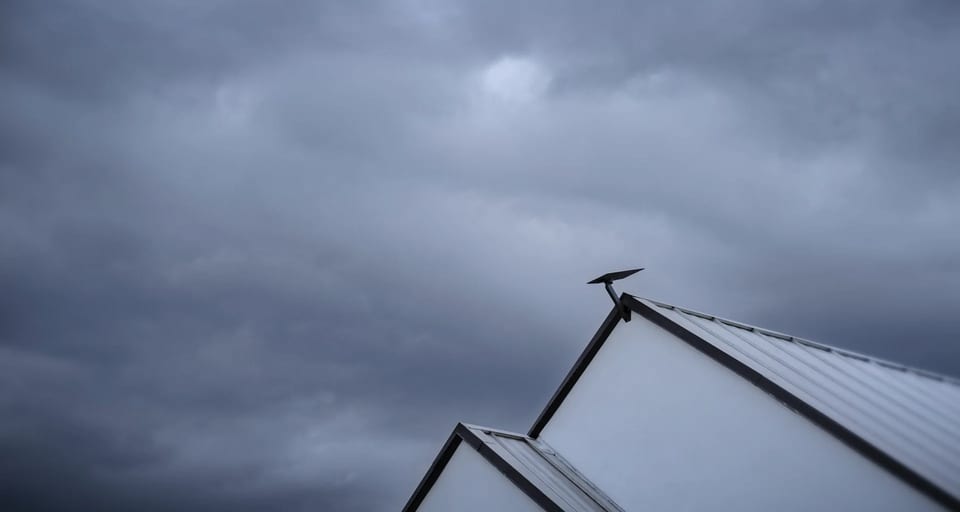
V5 looks like a strong answer for travelers who want more than Starlink Mini but don't want to carry the much larger Standard 4X. Its dish weighs the same 2.4 pounds as Mini, yet Starlink lists V5 at up to 375 Mbps compared with Mini at up to 300+ Mbps.
The separate Router Mini is also more capable on paper than Mini's built-in router. V5 gets Wi-Fi 6, two 1Gbps Ethernet ports, coverage up to 2,200 square feet, and support for up to 235 devices. Starlink Mini uses built-in Wi-Fi 5, covers up to 1,200 square feet, has one latching Ethernet port, and supports up to 128 devices.
That makes V5 a promising transportable setup for RVs, campsites, seasonal homes, and remote work: smaller than Standard 4X, with a higher published speed ceiling and stronger indoor Wi-Fi than Mini. Mini still wins when the smallest all-in-one kit and lower power draw matter most.
Roam eligibility is the one piece Starlink hasn't confirmed for V5. Standard 4X already qualifies, but V5 doesn't yet appear on Starlink's approved-hardware list.
Until V5 shows up in the order or account portal with a Roam plan, treat Roam support as likely, not confirmed. Do not assume in-motion use is approved yet.
The official V5 accessory guide is still short. It covers the Home Mount, included Pipe Adapter, Router Mini, 15-meter cable, and 2-meter Ethernet cable. Veritas doesn't sell V5-specific accessories yet; we'll add them only after we've verified fit with the actual hardware.
Need Starlink built around travel today? See how Starlink Mini performed while driving.
Who should care about Starlink V5?
V5 is easiest to recommend to a new residential customer in an eligible area, especially someone who values a smaller dish, lower weight, and lower listed power use.
It's also worth a look for compact fixed installations and backup-internet systems where storage and power planning matter.
If you already own V4, ask one question: does the smaller size, lower weight, or lower power rating solve a real problem? If not, wait for measured comparisons of speed, power draw, heat, reliability, and mount performance.
V5 is a smaller, lighter, more efficient Starlink kit. Whether it's better for you depends on the rest of your setup.
Choosing a new dish and service plan? Use our Starlink plan guide to compare the full setup.
Questions We Get A Lot
Starlink V5 is Starlink's new compact home internet dish. The kit includes the V5 dish, kickstand, Router Mini, pipe adapter, power supply, 15-meter Starlink cable, 2-meter Ethernet cable, and AC power cord.
Not automatically. Starlink advertises V5 at up to 375 Mbps, but actual speed depends on the plan, location, congestion, sky view, weather, and Wi-Fi setup. The specification alone doesn't prove that V5 will outperform V4 in every location.
The dish measures 15.1 x 12 x 1.3 inches and weighs 2.4 pounds. The complete kit weighs 8.4 pounds.
Starlink lists average power consumption at 35-50 watts. Actual use can change with network activity, temperature, snow melt, and other conditions.
V5 ships with Starlink Router Mini, an indoor dual-band Wi-Fi 6 router with two 1Gbps Ethernet ports and stated coverage up to 2,200 square feet.
The kit includes a kickstand for ground setup and a pipe adapter for metal pipe from 1.2 to 2 inches in diameter. Starlink sells a separate Home Mount for vertical, sloped, or flat surfaces.
V5 looks like a strong future Roam option, and Starlink already approves Standard 4X for Roam. However, V5 isn't yet named in Starlink's current approved-hardware list. Confirm that the order or account portal offers V5 with your Roam plan before buying, and do not assume in-motion use is approved yet.
Not based on the generation number alone. V5 is most compelling if its smaller size, lower weight, or lower power rating solves a real problem in your setup. A working V4 may still be the better value until side-by-side testing is available.
Not yet. We won't claim compatibility before it's verified. Veritas is evaluating the mounting, power, protection, and transport needs around the new dish so we can recommend complete V5 solutions with confidence.
Sources
Official Starlink resources are the source of record. The DISHYtech video is included only for early commentary and owner questions.
- Starlink V5 specifications
- V5 Product Specifications PDF
- V5 Setup Guide PDF
- V5 Accessories Guide PDF
- V5 Home Mount Installation Guide PDF
- Starlink Residential
- Standard 4X specifications
- Starlink Mini product and specifications
- Starlink Roam plan guidance
- Starlink V5 launch video on X
- DISHYtech: Starlink V5 Is Here
Build the right Starlink setup with Veritas
The dish is only one part of reliable internet anywhere. The mount, power, cables, protection, and support all have to work together. That's the same checking we did for this article, and it's how we'll approach V5 accessories. Ask Veritas about your Starlink setup, and we'll help you plan the complete system without guessing about V5 compatibility.
Ask Veritas about your Starlink setup or keep reading the guides below.
Related guides
Keep going.

Which Starlink Plan Should You Buy?
Mini or Standard? Residential or Roam? Start with how you live, then pick the setup.

10 Best Starlink Mini Accessories
The gear that turns Starlink Mini into a cleaner, tougher, internet-anywhere setup.

Does Starlink Mini Actually Work While Driving?
Yes, Starlink Mini can work in motion. The real question is whether your setup can handle the road.